Hey everyone, it’s Jake here, and I’ve been in the power cable game for over 10 years now. Let’s cut to the chase—there’s nothing more annoying (or dangerous) than a loose power cable connection. You’re mid-stream on your favorite show, your workstation dies right when you’re hitting send on that big email, or even worse, you’re smelling that weird burning plastic smell that makes your chest tight. I’ve seen it all: home owners panicking because their fridge won’t keep milk cold, small business owners stuck with dead POS systems during rush hour, even a few electrical techs who I had to bail out because they tried to wing a bad connection. Most of the time? It’s not a huge, costly issue—you just need to know how to fix it right, instead of slapping a band-aid on it and calling it a day. Power Cable
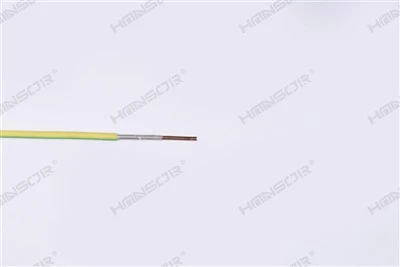
First things first—let’s get something straight: I’m a power cable supplier, not an electrician. But I’ve worked side-by-side with more licensed pros than I can count, and I’ve fixed way more loose connections in residential, commercial, and industrial setups than I can remember. The key here is safety first, common sense second, and not skipping the small steps that’ll save you from a call to a pro (or worse, a fire) down the line. If you’re dealing with something super serious—like a loose connection on a 480V industrial line or a cable that’s already sparking—call a licensed electrician immediately. This guide is for the stuff you can tackle at home or in a small office without that kind of high voltage.
Let’s start with the basics: how do you even spot a loose power cable connection in the first place? A lot of people don’t notice until it’s too late. The telltale signs are subtle at first. You might plug a lamp into an outlet, wiggle the cable a little, and the light flickers. Or your laptop charger feels a little wobbly when it’s in the port, and if you move your desk a tiny bit, it dies. For bigger stuff—like a TV or a fridge—you might hear a faint crackling sound coming from the outlet or the plug itself. If you see discolored plugs or outlets, or even burn marks around the slots? That’s not a small problem—stop what you’re doing and don’t touch it unless you’re comfortable with basic electrical safety.
Now, let’s talk about the tools you’ll need. You don’t need a massive toolbox—just the essentials. First, a non-contact voltage tester. I can’t stress this enough. You grab that, turn it on, and when you hold it near a live wire or outlet, it beeps or lights up. That’s your way to make sure the power is actually off before you touch anything. I’ve seen people skip this step because they think “it’s just a lamp” and get a tiny shock—nothing deadly, but enough to make you jump and knock over a coffee. A Phillips head screwdriver (standard and tiny, depending on where you’re working), a pair of needle nose pliers, some electrical tape (make sure it’s UL-listed—generic stuff from the dollar store doesn’t cut it), and if you’re working with a plug that’s been stripped, wire strippers. That’s it—no fancy gear required.
Step one, always, before you do anything: cut the power. This is non-negotiable. If you’re fixing a loose cable that plugs into an outlet (like a laptop charger or a kitchen appliance), unplug it first. But wait—for wall connections, like if the outlet itself is loose and causing the cable connection to be bad? Go to your breaker box, find the breaker for that room, and flip it off. Then double-check with your non-contact voltage tester. Hold it next to the outlet slots—if it doesn’t beep, you’re good. Don’t skip this. Ever. I’ve had a customer tell me “the plug looked fine, I just wiggled it” and got zapped when they pulled the outlet cover off.
Now, let’s break down the two most common loose power cable issues: the plug and the wall outlet, and the cable’s internal connection. Let’s start with the plug, because that’s the one most people deal with on a daily basis—laptop chargers, phone chargers, kitchen appliances, that stuff.
A lot of loose plug issues happen because the prongs are worn out, or they’ve gotten bent a little from yanking the cable instead of pulling the plug. Let’s say your laptop charger plug is loose. First, grab your needle nose pliers. Gently, super gently, bend the two metal prongs on the plug just a tiny bit inward. Not a huge bend—just enough so that when you plug it into the outlet, the prongs grip the slots tighter. If they’re really worn, you can also clean the prongs with a dry cotton swab to get rid of dust and grime that’s making the connection weak. Wait, what if the plug has a loose wire inside? Yeah, that happens too—especially with heavy-use cables. The cord gets tugged a hundred times, and the wires inside the plug start to come loose. If that’s the case, you’ll need to open the plug. Most plugs have a little screw on the side, or they pull apart. Once you open it, check the wires—they should be tightly screwed into the terminal screws inside the plug. If they’re loose, tighten them with your Phillips screwdriver, make sure there’s no stray wire strands touching each other (that’s a short waiting to happen), then close it back up. Pro tip from me: if the plug is really old, or the prongs are super beat up, just replace the plug entirely. You can grab a new, UL-listed plug at any hardware store, it’s way cheaper than replacing a whole cable because you tried to fix a failing plug.
Next up, the wall outlet connection. If your plug fits fine in other outlets but’s loose in one specific outlet, the problem is almost definitely the outlet itself, not the plug. This is a super common issue, especially if the outlet is old. When you plug and unplug cables hundreds of times, the slots on the outlet get worn down, so the plug doesn’t grip the prongs tight anymore. To fix this, first make sure the power is off (we did that earlier, right?). Remove the outlet cover plate with your screwdriver, then unscrew the two screws holding the outlet in the wall, and pull it out a little so you can reach the back. Now, check the wires on the back—there are usually two sets: the line wires (the ones coming from the breaker) and the load wires (going to other outlets down the line). The terminal screws for the wires should be tight. If they’re loose, tighten them. But if the outlet’s internal slots are worn out? That’s a bigger problem. You can’t fix those slots—you have to replace the outlet. Again, it’s super easy: grab a new UL-listed outlet, tuck the wires back into the wall, screw the outlet in, put the cover plate on, flip the breaker back on, and test it. If you’re not comfortable working with an outlet? Call an electrician, no shame. Better safe than sorry.
Wait, what about if the loose connection is in the middle of the cable, not at the plug or the outlet? Like, your extension cord is half under the couch, and it works fine one second, cuts out the next, only in that spot. That’s called a “broken strand” in the cable, which leads to a loose connection. Fixing that is a little trickier, because you have to splice the cable. First, cut the cable at the point where it’s acting up, or cut a few inches back from the end if the whole end is damaged. Strip the outer insulation of the cable with wire strippers to expose the internal wires—usually two or three, depending on if it’s grounded. You’ll have black (hot), white (neutral), and green (ground) wires, most of the time. Make sure you match them up exactly: black to black, white to white, green to green. Twist each pair of wires together tightly, then use wire nuts to secure them (twist the wire nut clockwise until it’s tight, give a little tug to make sure it doesn’t come loose). Then wrap the whole splice in electrical tape, making sure to cover every inch of the splice so there’s no exposed wire. If you’re not comfortable splicing, again—don’t risk it. Sloppy splices are one of the top causes of house fires from power cables, and I’ve seen enough of those first-hand to take it seriously.
Now, a few common mistakes I see all the time that make loose connections worse. First, yanking the power cable by the cord to unplug something. I see this with people yanking their laptop charger, kids yanking TV cables, it’s bad news. That tugging loosens the internal wires over time, leading to the very loose connections we’re talking about. The fix? Always grip the plug itself when unplugging, not the cord. Second, using the wrong cable for the job. If you’re running a heavy appliance, like a space heater or a fridge, on a tiny extension cord made for a lamp, that’s a recipe for a loose connection and overheating. I’ve had customers come to me because their $5 cheap extension cord started melting when they plugged their space heater into it. Invest in a cable that’s rated for the load you’re using it for—look for the “amps” rating on the cable, and make sure it matches or exceeds what your appliance needs. Third, using generic electrical tape. Like I mentioned earlier, dollar store tape doesn’t have the same insulation properties as UL-listed tape. It can break down over time, leave gaps, and that’s how short circuits start. Spend a few bucks on the good stuff, it’s worth it.
Now, let’s talk about when to call a pro, because there’s no shame in that. If you see burn marks on an outlet or plug, smell burning plastic, experience frequent sparks when you plug something in, or the loose connection is on a high-voltage line (like industrial equipment, or a main circuit in your house) don’t mess around. I’d rather send a customer to a licensed electrician than have to replace a whole house’s wiring because someone tried to fix something they weren’t trained to handle.
Here’s the thing as a power cable supplier: most people don’t think about their cables until something goes wrong. But a loose connection isn’t just an inconvenience—it’s a safety hazard. I’ve sold cables to customers who lost a fridge full of food because a loose connection cut out the power overnight, and others who had to pay for house repairs because a bad connection caused a small fire. Taking 10 minutes to fix that loose cable correctly is way better than dealing with a huge headache later.

If you’ve got a loose power cable connection that you’re not sure how to tackle, or you need to replace a worn cable or plug, I’m here to help. We carry all kinds of power cables for residential, commercial, and industrial use—UL-listed, rated for all different loads, so you know you’re getting safe, reliable gear. Whether you need a replacement charger for your laptop, a heavy-duty extension cord for your workshop, or something for your office network, we’ve got you covered. Hit us up to chat through your needs, no pressure, just honest advice from someone who’s been in this industry for years.
Electric Wire References:
- National Electrical Code (NEC), Article 400 for flexible cords and cables, 2023 edition
- Underwriters Laboratories (UL) Standard 817 for extension cords and similar cords, 2022 edition
- U.S. Consumer Product Safety Commission (CPSC), Electrical Safety Tips for Homeowners, 2021 update
- Electrical Construction & Maintenance (EC&M) Magazine, Common Causes of Loose Electrical Connections in Commercial Wiring, 2020 issue
Jiangsu Hansheng Cable Technology Co., Ltd.
With abundant experience, we are one of the most reliable power cable manufacturers and suppliers in China. We warmly welcome you to buy bulk customized power cable from our factory. If you have any enquiry about quotation and free sample, please feel free to email us.
Address: No. 18, Qingfeng Road, Touqiao Town, Guangling District, Yangzhou City, Jiangsu Province
E-mail: jshansor888@gmail.com
WebSite: https://www.hansorcable.com/
