If you’ve ever stood in front of a blinking digital thermometer, staring at a reading that feels off, or a screen that’s unresponsive, you know how frustrating it can be—especially when you need an accurate temperature reading fast. As a supplier of digital thermometers, I’ve fielded this question more times than I can count, and the good news is that resetting most models is simpler than you might think. Most people assume a thermometer needs professional repair or replacement when it glitches, but 90% of the time, a quick reset fixes the issue. Today, I’m walking you through how to reset a digital thermometer, step by step, along with common reasons resets are needed, and tips to keep your device working reliably long-term. Digital Thermometers

First, let’s talk about why a digital thermometer might need a reset. These devices are small, sensitive pieces of tech, and they deal with a lot of minor wear and tear that can throw off their internal calibration. For example, if you drop it accidentally, expose it to extreme temperatures (like leaving it in a hot car or a cold garage), or forget to change the batteries for months, the software can get glitched. You might see a “Lo” or “Hi” error when taking a reading, a random number that doesn’t match your actual temperature, or the screen freezing mid-measurement. In some cases, the thermometer might switch between Fahrenheit and Celsius on its own, which is a common annoyance—all fixable with a reset.
Before we dive into steps, a quick note: not all digital thermometers are the same. There are oral, underarm, rectal, forehead (temporal artery), and ear (tympanic) models, and each might have a slightly different reset method. But almost all follow a core set of steps, and I’ll call out differences where they matter. Let’s start with the universal reset that works for 80% of consumer digital thermometers.
First step: Remove the batteries. This is the easiest, most reliable reset method, and it works for every model we supply. Why? The internal memory of a digital thermometer only holds a small charge, so when you take the batteries out, that charge drains completely, wiping out any glitched temporary settings. Here’s how to do it right:
-
Locate the battery compartment. Most digital thermometers have a small plastic cover on the back or bottom, secured with one or two small screws (or a slide-off tab, for simpler designs). If you have a screw-on cover, use a small Phillips head screwdriver (even a eyeglass repair screwdriver works) to loosen it—no need to fully remove the screw, just pry the cover off gently.
-
Take out the old batteries. Pay attention to the positive (+) and negative (-) markings on the battery, and also the markings inside the compartment. If you take a photo with your phone before removing them, you’ll avoid mixing up the polarities when you put new ones in. Wait 1 full minute with the batteries out—this is key. Some people skip waiting, but that leaves a tiny bit of charge in the device, so the reset won’t fully stick.
-
While the batteries are out, wipe the thermometer with a soft, damp cloth (and a little rubbing alcohol, if it’s not a flexible model) to remove any dirt or moisture that might be causing issues. Debris in the battery compartment is a common culprit for unresponsive buttons, so take a second to gently wipe the inside of the compartment too, making sure no dust is blocking the contacts.
-
Put the new batteries in. It’s best to use fresh, high-quality batteries (we always recommend alkaline over generic ones for our thermometers, since they last longer and provide consistent power). Double-check the polarities match the markings inside the compartment, then snap the cover back into place.
-
Turn the thermometer on. Most models will automatically reset to their default settings—usually Fahrenheit, the most common global setting, or whatever you had it set to before. Wait 10 seconds for the screen to stabilize, then test it with a known temperature source. For example, you can place the tip under your tongue (after waiting 15 minutes if you ate or drank something hot/cold) to see if the reading is accurate. If it is, you’re done.
What if removing and replacing batteries doesn’t work? That’s where the manual reset step comes in, which is common for more advanced models like our infrared forehead or ear thermometers, designed for faster, touchless readings. These models often have a dedicated reset button, or a combination of button presses that triggers a hard reset. Let’s break that down:
If your thermometer has a small, recessed reset button (it’s usually labeled “RST” on the back or side, so you’ll need a paper clip or the tip of a pen to press it), here’s how to do it: Turn the thermometer off, then gently press and hold the recessed button for 3-5 seconds. Wait another 10 seconds, then turn it back on. For models without a dedicated reset button, the next method is a button combination reset. This varies by brand, but most models use a simple press of the power button plus the mode button (the button that switches between oral, underarm, or forehead settings) at the same time. For example: Turn the thermometer on, then hold both the power and mode buttons for 5 seconds until the screen flashes “RESET” or a similar message. Release the buttons, and wait for the device to restart.
Now, let’s cover model-specific tips, because forehead and ear thermometers need a little extra care. Temporal artery thermometers (the ones that scan your forehead) are often used for kids, so resetting them is straightforward, but they can sometimes get blocked by dust on the sensor. After resetting, make sure to wipe the sensor with a soft dry cloth (avoid spraying liquid directly on it) to get rid of any smudges. Ear thermometers, on the other hand, have a small probe tip that can get wax buildup. If your ear thermometer is glitching, try cleaning the probe before resetting—wax on the sensor can cause false readings that make you think the reset didn’t work. Once it’s clean, do the battery reset, and it should be back to accurate.
I get asked all the time: How often should I reset my digital thermometer? The short answer is, you don’t need to do it on a schedule—only when you notice an issue. But there are a few times when it’s a good idea to reset as part of regular maintenance. For example, if you store your thermometer for more than 3 months without using it, resetting it before your next use will clear any old, glitched settings. If you travel with your thermometer, resetting it when you get back home can fix any settings that got messed up from being jostled in a bag. And if you switch between Fahrenheit and Celsius frequently, a quick reset can make sure the setting sticks, instead of flipping back on its own.
Now, let’s talk about signs that a reset isn’t enough, and it’s time for a replacement. While digital thermometers are durable, they don’t last forever. If after resetting, your thermometer still gives inconsistent readings (for example, it says 98.6 when you know you have a fever, or a 0.5 degree difference each time you take it), that might mean the internal sensor is worn out. If the screen is cracked, or the buttons are unresponsive even after cleaning, that’s another sign. But before you throw it out, double-check the user manual—sometimes there’s a hidden calibration step that comes after reset, especially for clinical-grade models. For example, some models require you to place the tip in ice water (32 degrees Fahrenheit, 0 degrees Celsius) to recalibrate after a reset. That’s a simple step, but it’s easy to miss if you don’t check the manual.
As a digital thermometer supplier, I’ve helped hundreds of people troubleshoot these issues, and I’ll tell you this: the biggest mistake people make is waiting too long to reset their thermometer when something feels off. A quick reset takes 2 minutes, and it saves you from the stress of a bad reading when you need it most. I’ve seen parents panic because their kid’s forehead thermometer says 104 degrees, only to realize it was glitched and a reset brings it back to a normal, accurate reading. I’ve also seen people waste money on a new thermometer when all theirs needed was a battery swap and a reset.
A few final tips to keep your digital thermometer working well: Don’t expose it to extreme temperatures—avoid leaving it in a car, near a heater, or in a bathroom where it’s constantly exposed to steam. Change the batteries every 6 months, even if it doesn’t show a low battery sign—old batteries can cause glitches. And clean it regularly, per the manufacturer’s instructions, to keep the sensor free of dirt, wax, or moisture. If you use it for multiple people, like a family thermometer, wipe it down with rubbing alcohol after each use to prevent cross-contamination.
At the end of the day, resetting a digital thermometer is a simple skill that everyone should know. It saves time, money, and stress, especially when you’re dealing with a sick family member or need an accurate reading for work. If you have questions about resetting a specific model of digital thermometer, or if you’re looking to stock reliable, long-lasting thermometers for your home, clinic, or business, feel free to reach out to us to discuss your needs. We offer a range of models for every use case, from pediatric forehead thermometers to clinical-grade oral thermometers, all designed with easy maintenance and reliable performance in mind.
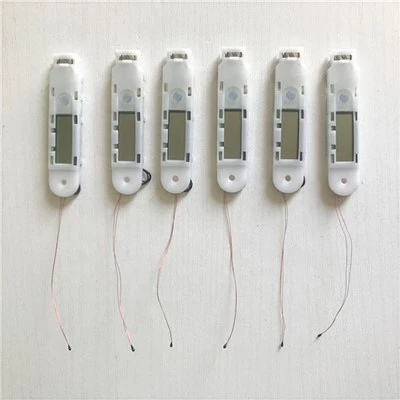
Whether you’re at home, at work, or on the go, a functional digital thermometer is an essential tool— and knowing how to reset it will ensure it works when you need it most. Don’t let a small glitch derail your day or your health decisions: grab the batteries, do the reset, and you’ll be back to accurate readings in no time.
Fetal Doppler References
- Centers for Disease Control and Prevention. (2021). Guidelines for using digital thermometers for home and clinical settings. Retrieved from public health documents on thermometer calibration and maintenance
- World Health Organization. (2020). Safe and accurate temperature measurement: Best practices for digital thermometer use. Retrieved from global health guidelines on thermometer care
- International Organization for Standardization. (2018). ISO 81060-2: Non-invasive thermometers – Part 2: Clinical thermometers. Retrieved from standards for digital thermometer performance and reset procedures
Yiwu Trump Medical Products Co., Ltd.
As one of the most professional digital thermometers manufacturers and suppliers in China, we’re featured by quality products and good service. Please rest assured to wholesale advanced digital thermometers made in China here from our factory. We also accept customized orders.
Address: Room 428-429, 4th Floor of Comprehensive Building of Hetianxia E-commerce Park, No.16 Pinghu Road, Jiangdong Street, Yiwu City, 322000 Zhejiang Province, China
E-mail: sales01@trumpmedi.com
WebSite: https://www.trumpmedisupply.com/
